Vyuh · Desktop app for Windows
Automate your own trading rules.
Vyuh turns your alerts into orders at your own Indian broker, with strategies, exits, option tools and a paper mode to practise first. It runs on your PC.
Vyuh launch video
The launch video, 2 min 23 s. Product scenes use demo data, not real accounts or results.
From signal to order, on your PC
- 01
A signal arrives.
An alert from TradingView, GoCharting or Chartink, a click on the chart, or a line of your own Python.
- 02
Your strategy decides.
What to trade, how much and when to exit. Every order passes your limits, the kill switch and any approvals first.
- 03
Your broker gets the order.
Vyuh places it through your own broker session and then watches the position: stop loss, target, trailing stop and time exits.
Everything in one app
Alerts, strategies, exits, charts, scalping, option tools and reports, in one Windows app. Every screen below is from the launch video, with demo data.
-

Signals
Any alert, your strategy, your broker
TradingView, GoCharting and Chartink alerts arrive by webhook. AmiBroker, Excel, MetaTrader 5 and your own Python connect through the local API. Every signal passes the same checks, and alerts older than 60 seconds are refused.
-
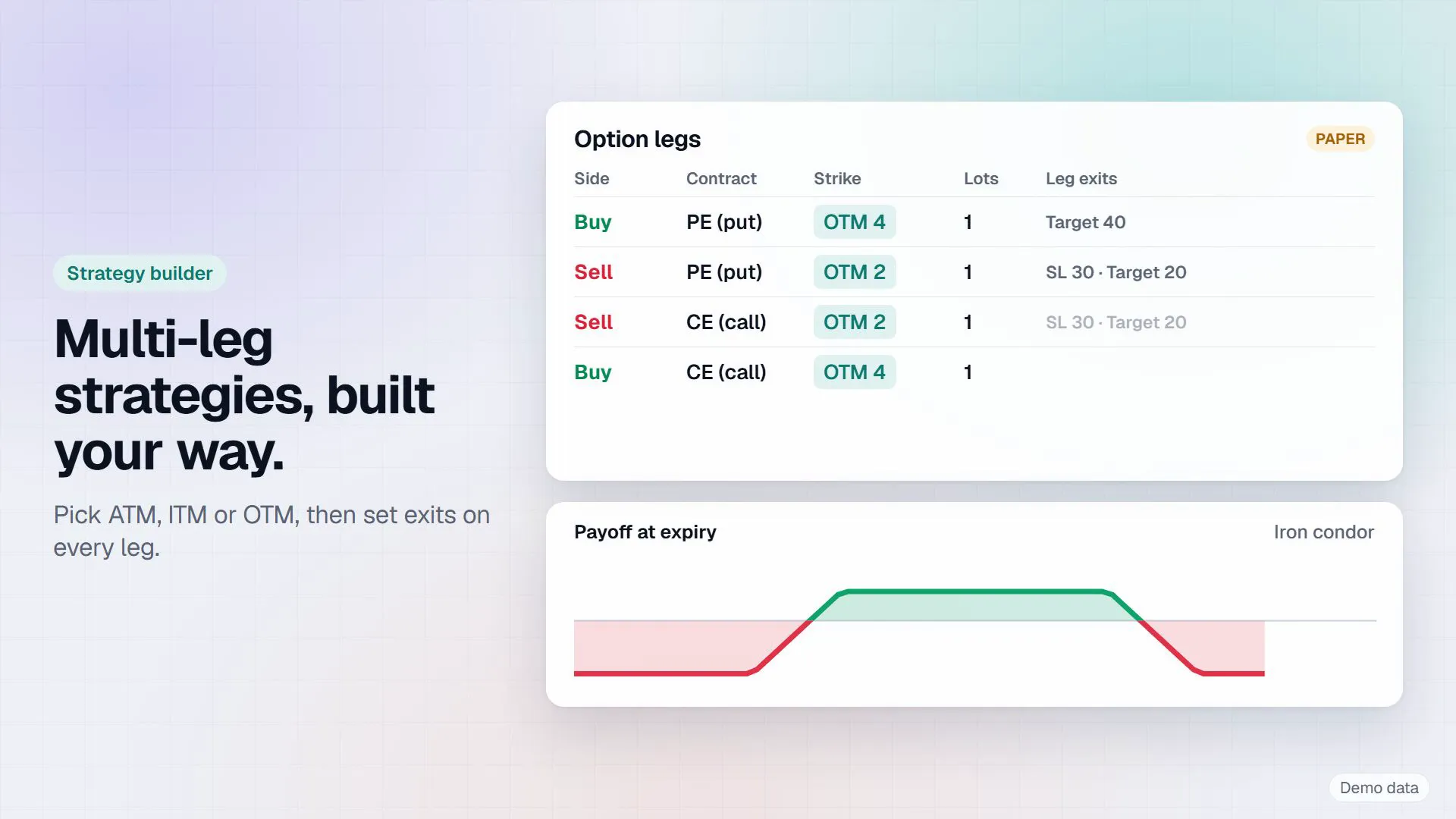
Strategy builder
Multileg strategies, built your way
Up to 10 legs per strategy. Pick strikes by ATM, ITM or OTM, by premium or by delta, then set exits on every leg. A no code canvas builder is included.
-
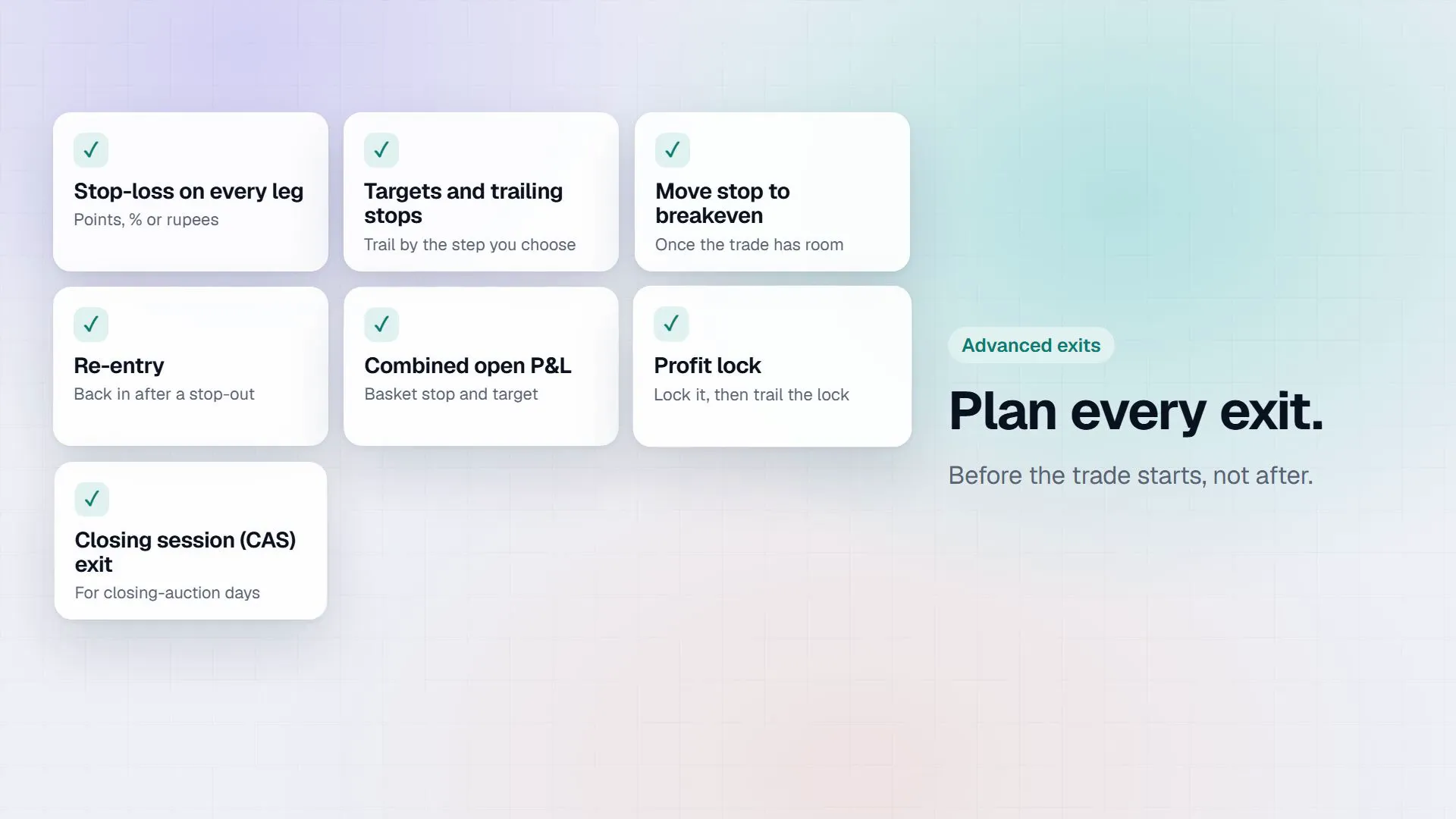
Exits
Plan every exit before the trade starts
Stop loss, targets, four styles of trailing stop, move to breakeven, reentry and profit lock, plus a combined stop and target for the whole basket, timed exits and an expiry day roll.
-
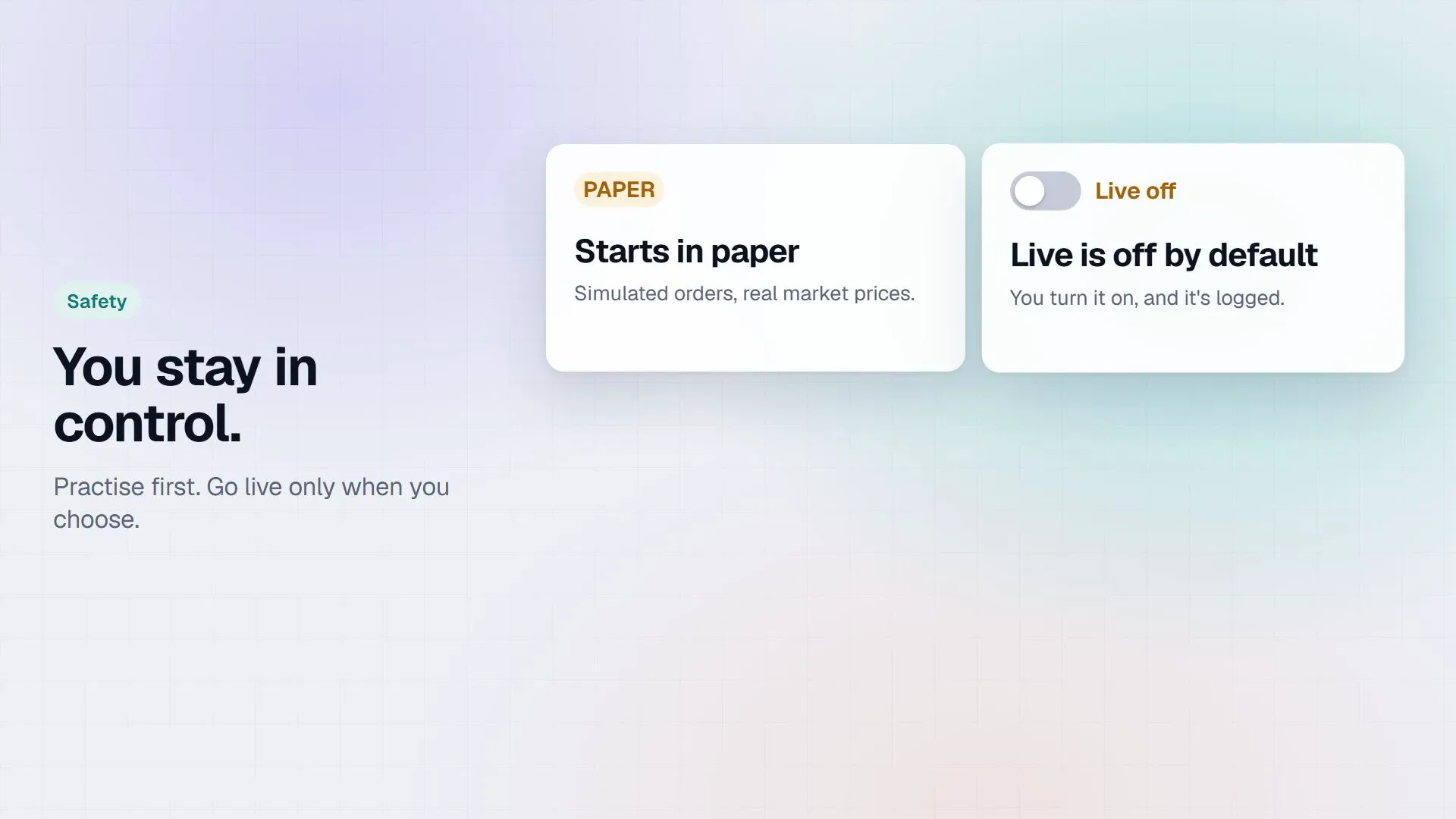
Safety
You stay in control
Paper is the default. Live trading is off until you switch it on and confirm, and new strategies start switched off and in paper. A kill switch, daily loss limits and approvals sit on top, and exits are never blocked.
-
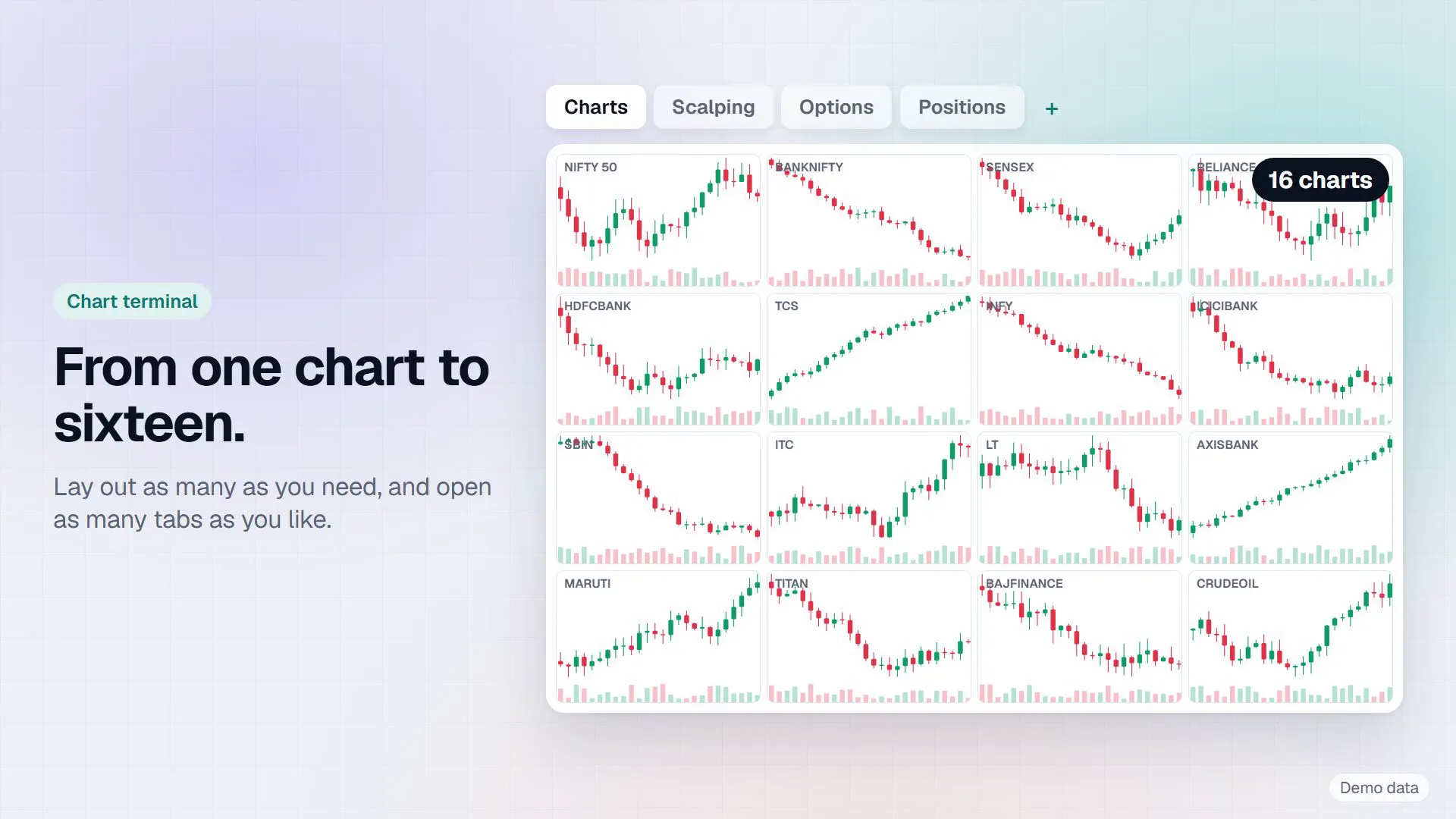
Charts
From one chart to sixteen
Up to 16 live charts with candles down to 5 seconds, open interest profile, straddle charts, footprint and order flow (an estimate, not exchange exact), bar replay and trading from the chart.
-

Scalping
Scalp in one click
A scalping terminal for index options, futures or any instrument: one click or one key per order, with the stop loss, target and trail set on the ticket.
-
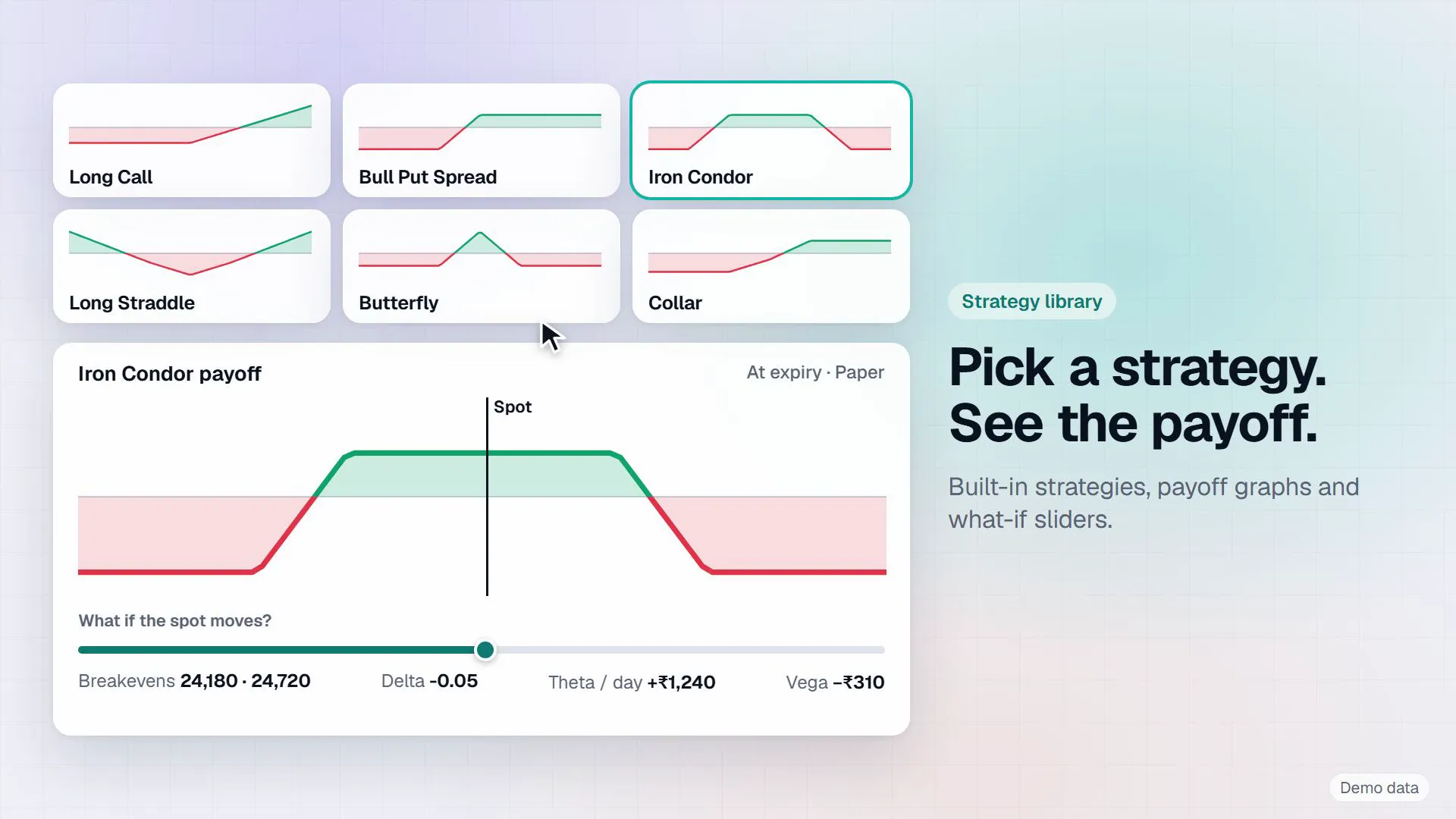
Strategy library
Pick a strategy, see the payoff
42 example option templates with payoff graphs, margin with hedge benefit and what if sliders. The templates are examples you control, not advice.
-
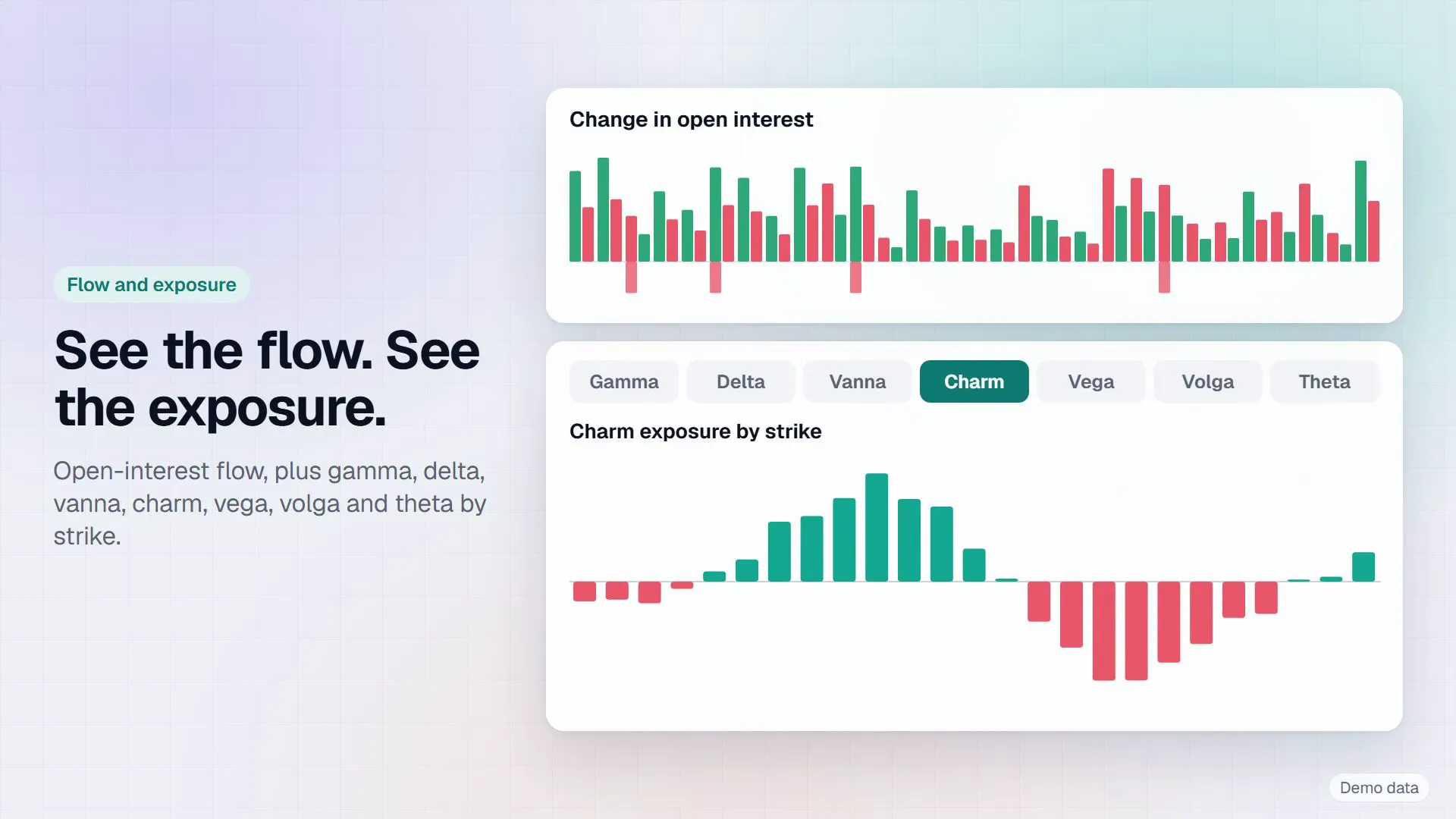
Flow and exposure
See the flow, see the exposure
A live option chain with Greeks, change in open interest, and gamma, delta, vanna and charm exposure by strike.
-

Volatility
Read the volatility
The IV smile, IV history and the volatility surface on one screen, with gamma blast, pin and hedge flow alerts that tell you when the setup changes.
-
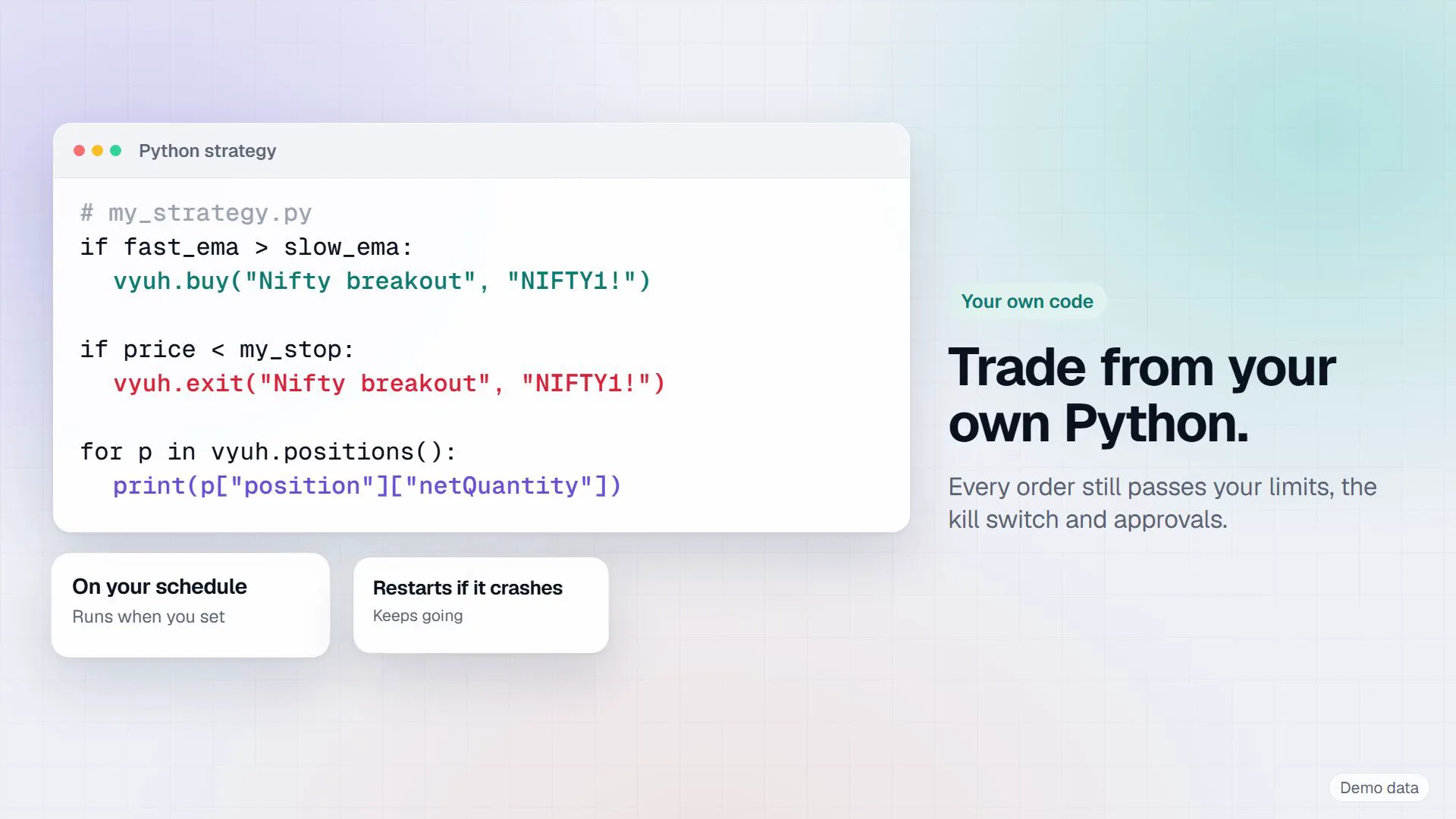
Your own code
Trade from your own Python
A local API and Python SDK, Python strategies that run inside Vyuh on your schedule and restart if they crash, and OpenScript indicators. Every order still passes your limits, the kill switch and approvals.
-
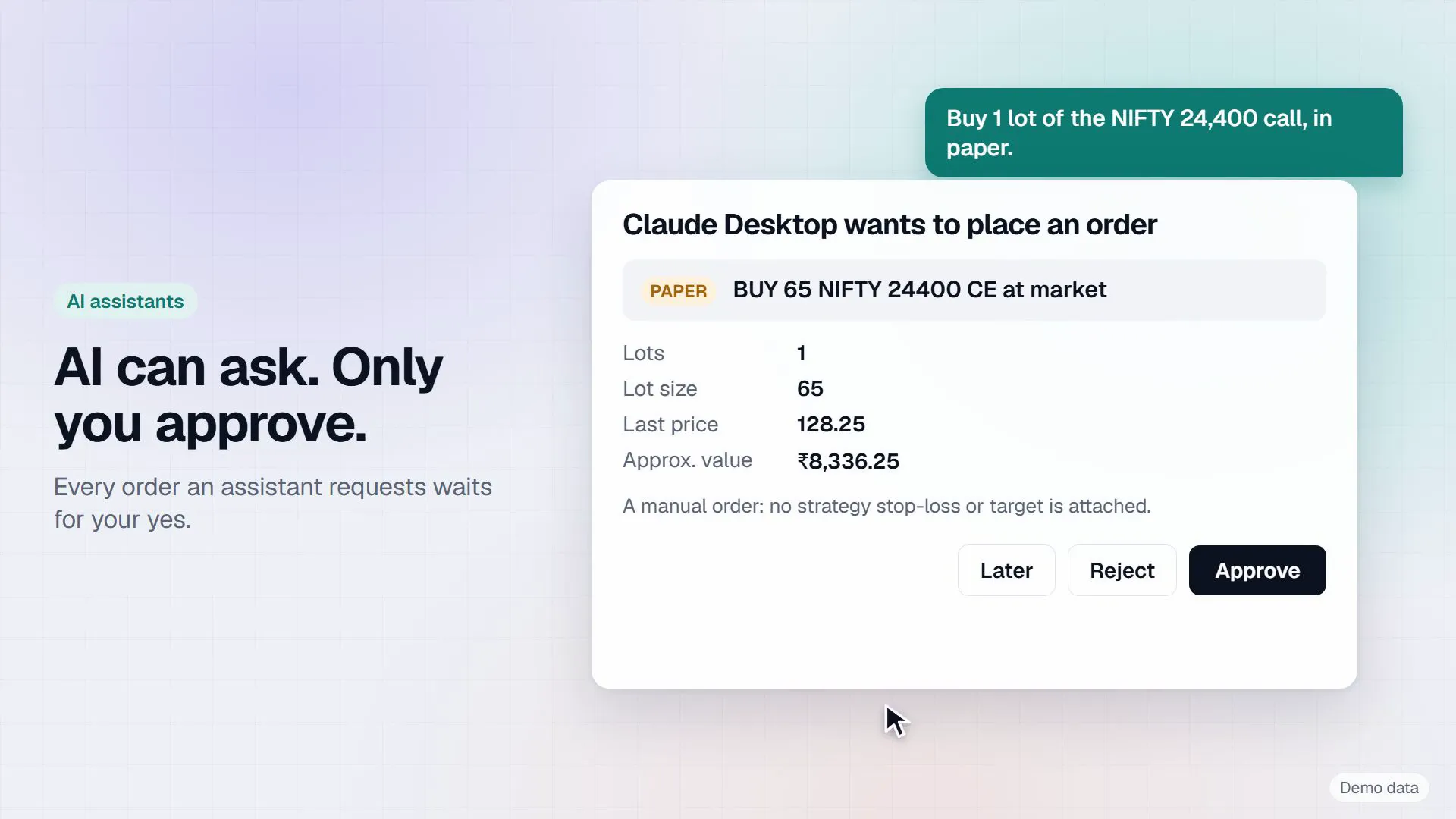
AI assistants
AI can ask. Only you approve.
Use the built in assistant, your own Claude key or a local Ollama model, or connect Claude Desktop, Claude Code or Cursor. Every order an assistant asks for waits as a card for your approval. The assistant never recommends trades.
-
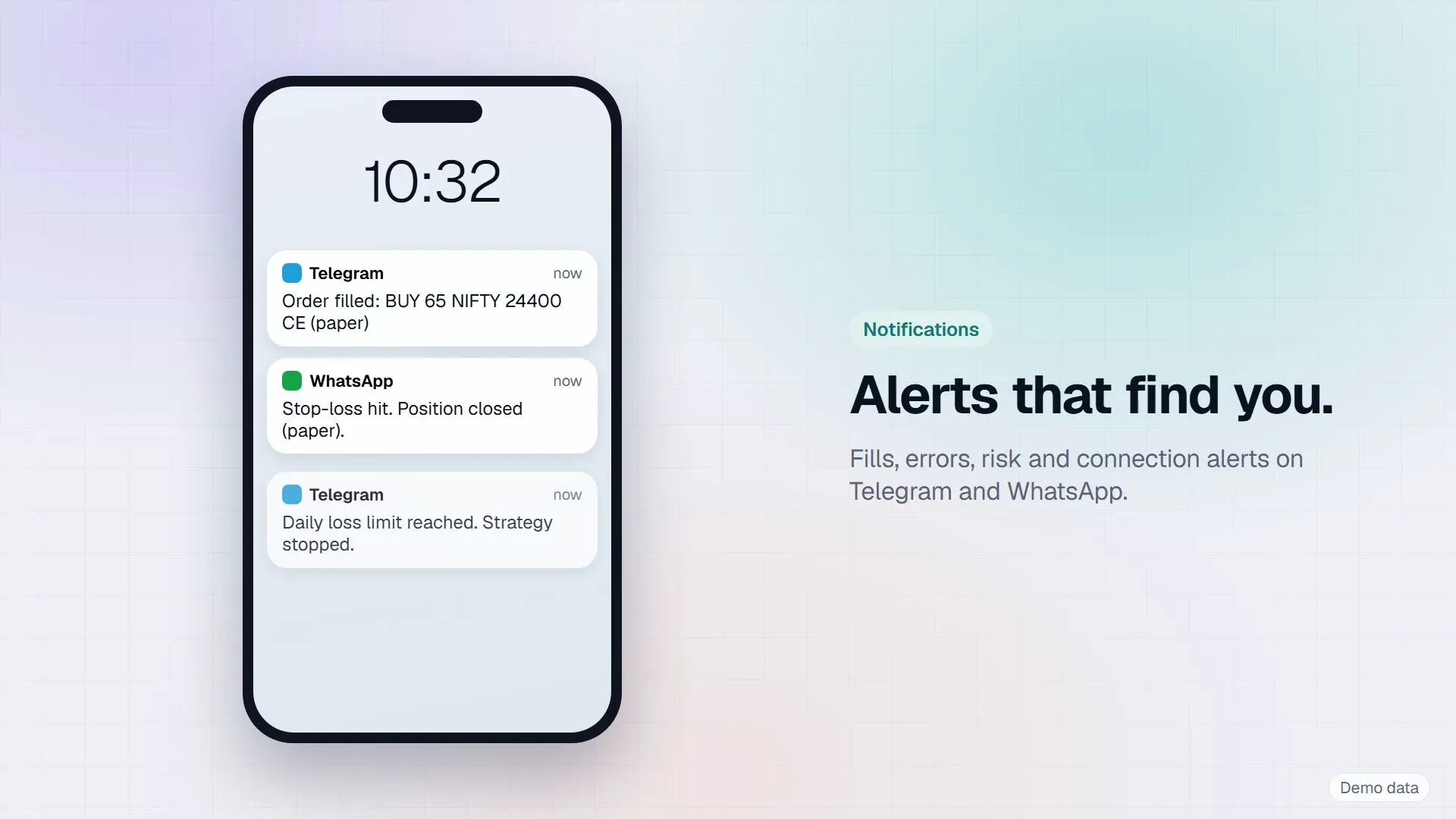
Notifications
Alerts that find you
Fills, errors, risk and connection alerts on Telegram, with commands, approvals and a kill command, on WhatsApp (Meta charges per message), and as Windows notifications.
-
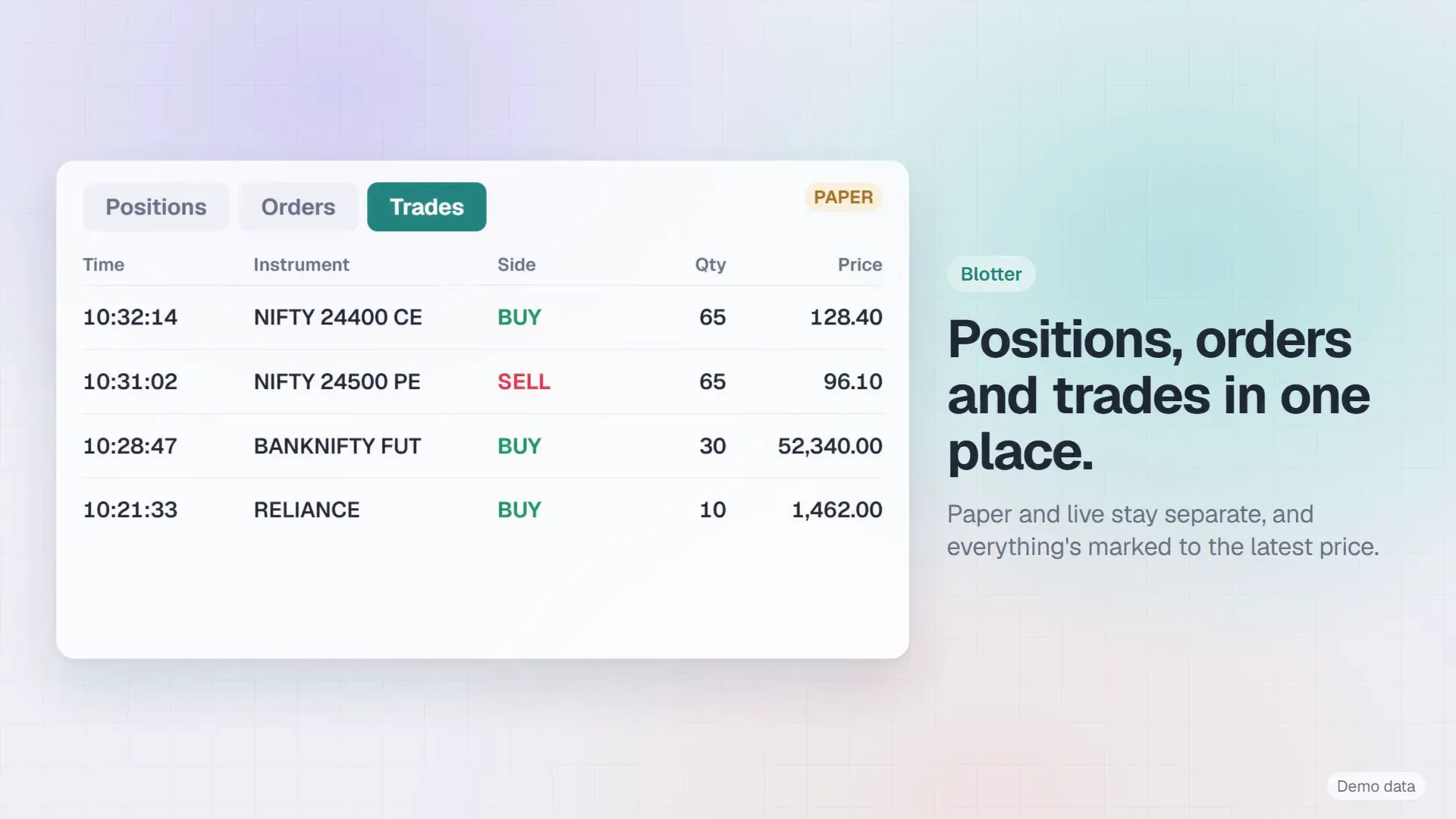
Blotter and reports
Positions, orders and trades in one place
Paper and live stay separate, and everything is marked to the latest price. Reports cover performance, order latency and every call to your broker, with CSV and Parquet export.
-
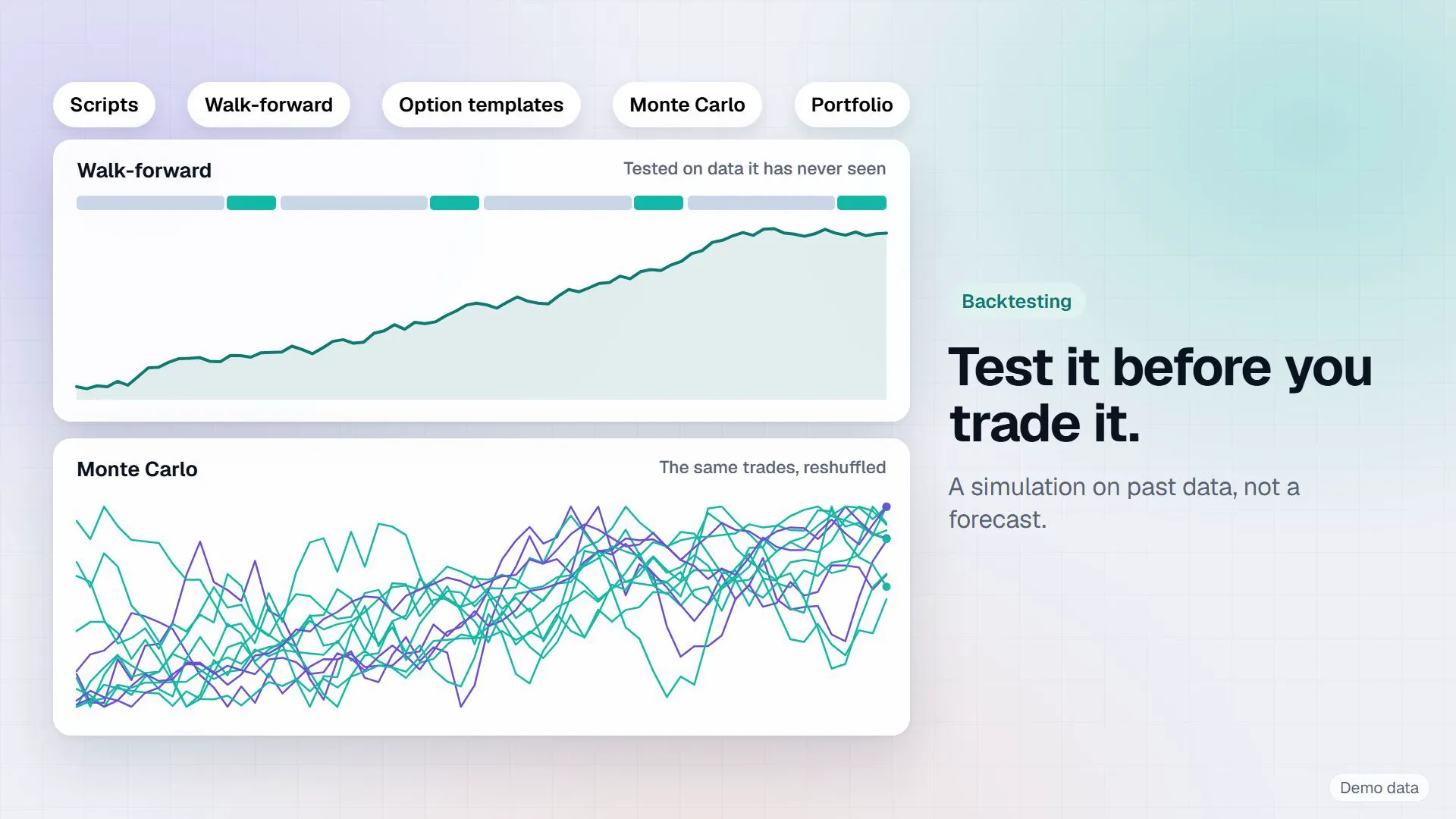
Backtesting
Test it before you trade it
Backtest OpenScript strategies with walk forward and Monte Carlo runs. Option template backtests use modelled premiums, not real past option prices. A backtest is a simulation on past data, not a forecast.
Brokers
31 brokers, one app
Connect several accounts at once; each strategy trades on its own account. Most brokers give API access free. Some charge: Zerodha Rs 500 a month, Dhan and Groww Rs 499 plus taxes, as published in October 2026.
- Zerodha
- Dhan
- Upstox
- Angel One
- Fyers
- Shoonya (Finvasia)
- Flattrade
- Zebu
- Compositedge
- RMoney
- IIFL Capital
- Firstock
- Alice Blue
- Definedge
- Tradejini
- Kotak Neo
- 5paisa
- Groww
- HDFC Sky
- HDFC Securities
- Paytm Money
- INDmoney
- m.Stock
- Samco
- TradeSmart
- Arrow
- Rupeezy
- Pocketful
- Sahi
- Nubra
- Delta Exchange India (crypto, not SEBI regulated)
What it is, and what it is not
- A Windows app that runs on your own PC
- Connected to your own broker account, with your own API key and static IP
- Paper first: live trading stays off until you switch it on
- Private: broker keys stay in Windows Credential Manager, the database is encrypted, and your orders, positions, trades and strategies are not sent to us
- Not investment advice and not a signal service
- Not a managed account. We never see or hold your funds
- Not a guarantee that any order is placed or filled
- Not open source. Vyuh is proprietary software
What you need
- A PC with Windows 10 or 11, 64 bit. macOS is planned, not available yet
- A broker account with API access. Some brokers charge for it, and live prices may need the broker's data plan
- A static IP for live API orders, as SEBI's retail algo rules require from 1 April 2026. Paper trading works without one
- A paid TradingView plan for webhook alerts
- A tunnel such as ngrok or Cloudflare for alerts from the internet, and Vyuh kept running while you trade
Setting it up
- 01Install Vyuh and sign in with your Vyuh account, or start the free trial
- 02Connect your broker with its API key and sign in each day
- 03Create a strategy. It starts switched off and in paper
- 04Point your TradingView alert's webhook at Vyuh, and send a test alert
- 05Watch it in paper, then switch to live only when you are ready
Your account, your responsibility. Vyuh is software that carries out the instructions you configure; it does not give investment advice. You are responsible for every order sent from your account, and for following your broker's and SEBI's rules on API and algorithmic orders. Start in paper, then test live with small quantities.
Questions
Questions
- What does Vyuh cost?
- Rs 750 for 1 month, Rs 4,000 for 6 months or Rs 7,500 for 12 months. Every plan has every feature; only the length differs. The Indian market and Arko's Strategy & The HFT Algo Scanner plans include Vyuh.
- Is there a free trial?
- Yes, 3 market days, offered while sign-up is open. Weekends and market holidays don't count. One trial per PC, mobile number, email and broker account.
- Do you get access to my broker account or my trades?
- No. Broker keys and passwords stay in Windows Credential Manager on your PC. Your orders, positions, trades and strategies are not sent to us; they go only to the services you connect, such as your broker.
- Does it come with trading signals?
- No. Vyuh carries out the rules you set up and the alerts you send it. It does not decide what to trade, and its assistant never recommends trades.
- Do I need a static IP?
- For live API orders, yes. Since 1 April 2026 brokers refuse API orders from addresses that are not registered. You can get a static IP from your internet provider or use a Windows VPS. Paper trading works without one.
- What happens if my internet drops?
- Paper trading and exits always work. Vyuh checks your licence every few hours; after 48 hours without reaching the licence server, new live entries pause until it connects again.
- Does it run on a Mac?
- Not yet. Vyuh is a Windows app today, and a macOS version is planned.
- Is Vyuh open source?
- No. Vyuh is proprietary software.